


NFHS Digital
2.083.00 Reviews
App Specs
- Version
- 2.1.1
- Updated On
- License
- Free
- Downloads
- 10,000+
- Developer
- NFHS Apps
- Categories
- Sports
- Platform
- Android
Screenshots
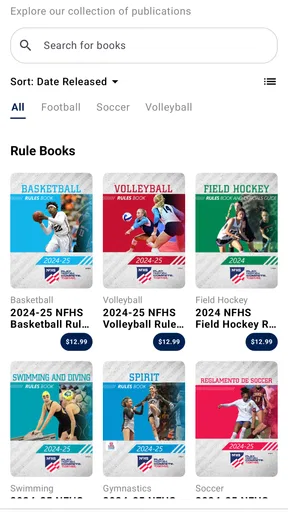
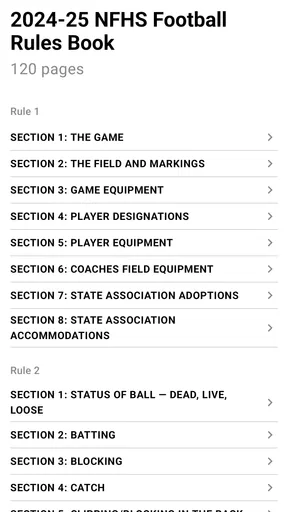
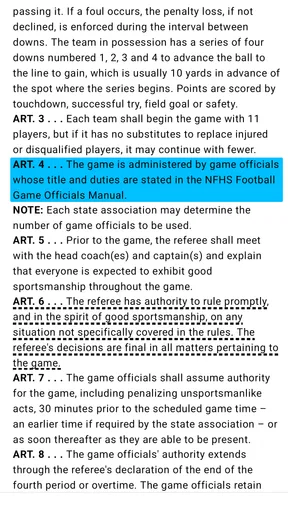

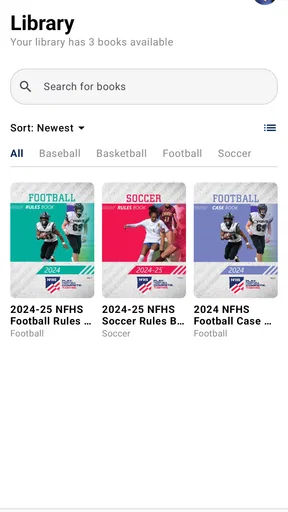
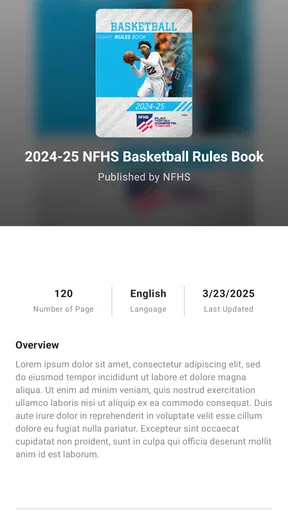
 Analysis by AppCompare
When I’m trying to keep up with a school game from somewhere other than the bleachers, the main question is practical: can I get to the relevant information or coverage over the connection I have right now? NFHS Digital is a sports app from NFHS Apps, aimed at high school athletics. Its usefulness depends less on having a huge general sports feed and more on whether the school event I care about is available when I need it.
When a reliable connection matters most
Live sports are particularly unforgiving of a weak network. A stream can look fine while I’m at home on stable Wi-Fi and become frustrating when I’m travelling, at a crowded venue, or relying on mobile data. Even a short pause can make a close game harder to follow, especially if the action continues while the picture catches up. I’d treat a dependable connection as part of the viewing setup, not as a minor extra.
That affects when I’d choose this app. If I’m planning to watch a match, I would open it before the event and check that the relevant coverage is accessible while I still have time to adjust. I wouldn’t wait until a decisive moment to install, sign in, search around, and discover whether the connection is cooperating. That small bit of preparation is more useful than assuming any sports stream will work equally well everywhere.
Built for the moments around school sports
The audience is more specific than the audience for a broad professional-sports app. I can see the appeal for a parent who cannot attend every away fixture, a relative keeping up with a student athlete, or a fan following local school competitions. Those viewers may care about a particular team or event far more than a constant stream of national headlines, and a service centered on high school sports has a clear reason to exist.
A realistic use is checking in during a busy afternoon: I’m away from the gym, a family member is competing, and I want to follow along without turning the whole day into a search across unrelated feeds. The app makes sense as a dedicated place to look for school-sports coverage. It is less compelling if I mainly want professional leagues, broad breaking-news coverage, or a universal sports score service; those alternatives are built around different priorities.
It is also worth separating “a place to look” from a guarantee that every event will fit every viewer’s plans. Before arranging a watch party or promising someone they can see a game remotely, I’d check for that specific event and make sure the viewing setup works. That is a sensible habit with any event-based service, and especially so when a live moment cannot simply be replayed as it happens.
Using a phone without making it the whole event
On a phone, the app is most useful for focused sessions: finding a game, watching a stretch of play, or checking back around a time when I expect something important. Long viewing sessions make battery use and network availability more noticeable, so I’d keep a charger handy if I planned to watch away from home. I’d also avoid assuming that a mobile connection will remain strong just because it works well for messaging or browsing.
Worth Reading Before You Choose

Flipboard Shows What News Apps Must Do Beyond the Feed

Switching to Android Auto Means Rethinking Your Driving Routine

Google Calendar Makes a Crowded Week Easier to Manage

Ludo King Makes the Most of the Minutes Between Plans

Baby Panda World Brings Quick Play to Modern Phones, but Its Game Library Feels Busy

ESPN’s Live Game View Makes Following Close Games Easier
There is a trade-off between convenience and the full in-person experience. A small screen is handy when I’m away from the venue, but it does not replace being in the stands, seeing the entire field or court, and sharing the atmosphere with other spectators. For a family member who cannot travel, remote access may be the better option. For someone already nearby, attending in person is likely to be more rewarding than watching through a phone.
I’d use notifications selectively rather than enabling every possible alert. A small number of useful reminders can help me remember an event; too many can make the phone noisy and make the important update easier to overlook. If I’m following several school teams, I’d review which ones matter most to me and keep the alerts focused on those. That is a simple way to make a sports app feel less intrusive during the rest of the day.
What to do when access falters
When a stream stalls or the app behaves unexpectedly, I would first distinguish a connection problem from an app problem. A quick check of whether other services load can tell me whether the wider network is struggling. If they are also slow, switching between Wi-Fi and mobile data, when available, may help. If the connection is fine elsewhere, closing and reopening the app is a reasonable next step before trying again.
For an important game, I would not make this the only way I follow the result. Keeping the event details or a separate score source available gives me a fallback if video access is interrupted. That does not provide the same experience as watching, but it can prevent a temporary technical snag from leaving me entirely out of the loop. The point is not to expect failure; it is to make a small plan for a moment when connectivity is beyond my control.
Ratings offer a caution worth considering: the app has a 1.8 average from 87 ratings, so I would approach claims of a consistently smooth experience carefully. That figure does not tell me what caused each user’s frustration, but it is a reason to test the app before relying on it for a one-time event. I would install it and try the parts I expect to use in advance rather than discovering the setup under pressure.
Data use and the cost of watching
Video over mobile data can use more of a plan than reading text or checking a score. I’d prefer Wi-Fi for extended viewing and save mobile data for a shorter check when that is practical. If I have a limited plan, I would be cautious about leaving a stream running in the background or watching for a long stretch without keeping an eye on usage. This is a general streaming trade-off, not a reason to assume a particular data amount.
The app is free to install, but it includes in-app purchases priced from $4.99 to $21.99 per item. I would check what a purchase covers and whether it matches the event or access I actually want before paying. That matters for occasional viewers: if I only want to follow one game, a paid option may not be worthwhile, while someone who regularly watches school sports may judge the value differently. The key is to decide based on the coverage I plan to use, rather than treating a purchase as automatically necessary.
For a school or family gathering, I’d also think about who is providing the connection. Several people watching on separate phones can place more demand on a shared network than one viewer, and a crowded venue may already have inconsistent service. If reliable viewing is important, testing in the same place and on the same kind of connection beforehand is more informative than relying on how well the app worked at home.
Who is likely to get the most from it
I’d recommend considering this app if high school sports are a regular part of your life and you want a dedicated way to look for related coverage. Parents, relatives, students, and local supporters can all have a clear reason to try it, especially when they cannot be present for every event. The age rating is Everyone, and the app is listed for devices running Android 7.0 or later. Its current version is 1.2.4, and it has passed 10K+ installs.
It is not my first pick for someone who rarely follows school athletics or expects a general-purpose sports hub. A sports news app or score-focused alternative may be a better fit for someone who mainly wants quick results and headlines without video. Likewise, if a user’s main concern is watching reliably on a poor connection, I would not choose any streaming-centered option without first testing it under those conditions. The app’s narrow focus is a strength for the right person and a limitation for everyone else.
What stands out in everyday use
The most useful way I’d approach the app is as part of a small routine: check for the event ahead of time, confirm that the connection is adequate, decide whether Wi-Fi or mobile data makes sense, and keep a backup way to follow the score. Those steps may sound basic, but together they reduce the chance that a last-minute setup problem spoils a game. They also help me judge whether the app fits my actual habits instead of an idealized use case.
I would also be realistic about alerts and purchases. Alerts are helpful only when they surface something I care about, and paid items deserve a deliberate choice rather than an impulse prompted by an event starting soon. If I am trying the app for a specific team, I would first establish how often I expect to use it and which coverage I need. That gives me a fair basis for deciding whether it belongs on my phone long term.
NFHS Digital is free to download, but I would not call it a no-cost viewing experience in every situation because individual in-app purchases are available. It is also focused on high school sports rather than every level of competition. For a dedicated follower, that focus can make the app more relevant than a broad sports platform; for a casual fan, the broader service may be more convenient.
How NFHS Digital fits into a sports routine
If you’re someone who loves diving into the world of sports, then NFHS Digital might just be the app you've been waiting for. This app is a one-stop destination for high school sports enthusiasts, offering everything from live game coverage to on-demand highlights. But is it really worth downloading? Let's take a closer look.
What is NFHS Digital?
NFHS Digital is the official app of the National Federation of State High School Associations. The app is designed to bring users closer to high school sports across the United States, featuring a wide array of sports content. Imagine being able to follow your favorite high school teams and athletes from anywhere you are. That's the promise of this app.
Features You'll Love
The app comes loaded with features that any sports fan would appreciate. One of the standout features is live streaming. Whether you’re on the go or at home, you can catch live games directly from your phone. It’s like having a front-row seat to your favorite games. And if you missed a live game, don’t worry—there are on-demand replays and highlights to keep you in the loop.
Another cool feature is the customizable notifications. You can set alerts for game times, scores, and other updates to ensure you never miss a beat. This is especially handy if you’re following multiple teams or sports, as you can tailor the notifications to suit your preferences.
User Experience
When it comes to user experience, NFHS Digital scores well. The interface is clean and intuitive, making navigation a breeze. Whether you're a tech-savvy teen or a parent just trying to keep up with your kid's games, you'll find it easy to use.
The app is also pretty responsive, with quick load times and smooth video playback. This is crucial for a sports app where every second counts—nobody wants buffering during a nail-biting moment!
Content Variety
The app covers a wide range of sports, from football and basketball to lesser-followed sports like lacrosse and field hockey. This diversity makes it a go-to app for any high school sports fan. Plus, it doesn't just stop at games; there are interviews, analysis, and even some behind-the-scenes content to keep things fresh and engaging.
Social and Community Engagement
One aspect that stands out is the app's engagement with its community. Through features like polls and comments, users can interact and share their thoughts on games and events. It’s a great way to feel part of a larger community of sports enthusiasts.
Room for Improvement
While NFHS Digital is packed with features, there are a few areas where it could improve. For instance, the app sometimes experiences bugs, especially during peak times when many users are streaming simultaneously. A few users have also mentioned that the notification system could be more reliable, with occasional missed alerts.
Additionally, while the app is mostly free, some premium content requires a subscription. This could be a minor drawback for users expecting a completely free experience. However, it’s worth noting that the premium content often includes exclusive features and games that might justify the cost for hardcore fans.
Final Thoughts
In conclusion, NFHS Digital is a must-have for anyone passionate about high school sports. Its comprehensive coverage and user-friendly interface make it a standout choice for fans looking to stay connected with their favorite teams and athletes. While there are a few minor hiccups, the overall experience is positive, delivering on its promise to bring the excitement of high school sports right to your fingertips.
So, if you're ready to take your high school sports fandom to the next level, give NFHS Digital a try. It might just become your go-to app for all things related to high school athletics.
My connectivity verdict
For me, the deciding factor is whether the events I care about are available and whether I can watch them over a dependable connection. NFHS Digital has a clear purpose for people invested in high school athletics, but a live stream is only as convenient as the network carrying it. I would try it ahead of a meaningful game, keep mobile-data limits in mind, and use another way to follow the score if video access falters.
That makes it a sensible app to consider for families and fans who regularly follow school teams, rather than an essential download for every sports viewer. If you mainly want quick scores, broad league coverage, or dependable viewing in places with weak service, a score-first app or attending in person may suit you better. If school sports are your priority and the connection is good, it can earn a place in your routine—just test it before counting on it for the big moment.
Pros
- User-friendly interface
- easy navigation.
- Comprehensive sports coverage.
- High-quality video streaming.
- Real-time game updates.
- Customizable notifications.
Cons
- Requires stable internet connection.
- Limited offline content access.
- Subscription needed for premium features.
- Occasional app crashes reported.
- In-app ads can be intrusive.
FAQs for NFHS Digital
What is NFHS Digital and what features does it offer?
NFHS Digital is a comprehensive app designed to enhance the experience of following high school sports. It offers live streaming of games, on-demand replays, and highlight videos. Additionally, the app provides real-time scores, player stats, and event schedules, making it a one-stop platform for sports enthusiasts.
Is NFHS Digital available for both Android and iOS?
Yes, NFHS Digital is available for both Android and iOS devices. You can download it from the Google Play Store or the Apple App Store. The app is designed to be user-friendly, offering a seamless experience across different platforms with regular updates to improve functionality.
Does NFHS Digital require a subscription?
NFHS Digital operates on a subscription model, offering various packages to suit different needs. Users can choose from monthly or annual plans. While there is a cost associated, the subscription provides access to exclusive content, including live streams and premium features that enhance the viewing experience.
Can I watch games outside of my local area using NFHS Digital?
Yes, NFHS Digital allows you to watch games from across the country, not just your local area. This feature is particularly beneficial for fans who wish to follow teams that are geographically distant. The app provides access to a wide array of sports events, ensuring you never miss a game.
How reliable is the streaming quality on NFHS Digital?
NFHS Digital is known for its high-quality streaming capabilities. The app offers HD live streaming, which adjusts dynamically to your internet speed to minimize buffering. Users generally report a smooth viewing experience, though the quality can depend on your network connection. Regular updates aim to enhance streaming reliability.


